View Activity Logs
Overview
The Activity Log provides a detailed, searchable record of all actions performed within the CID Hub, both by users and by the system itself. These logs are essential for traceability and auditing purposes, capturing high-level events related to user management, CID configuration, software changes, and more.
All events are recorded in a single, account-wide log. For convenience, this log can be viewed in two ways:
- The Global Activity Log shows all events across your account.
- The CID-Specific Activity Log is a filtered view that shows only the events related to a single device.
Global Activity Log
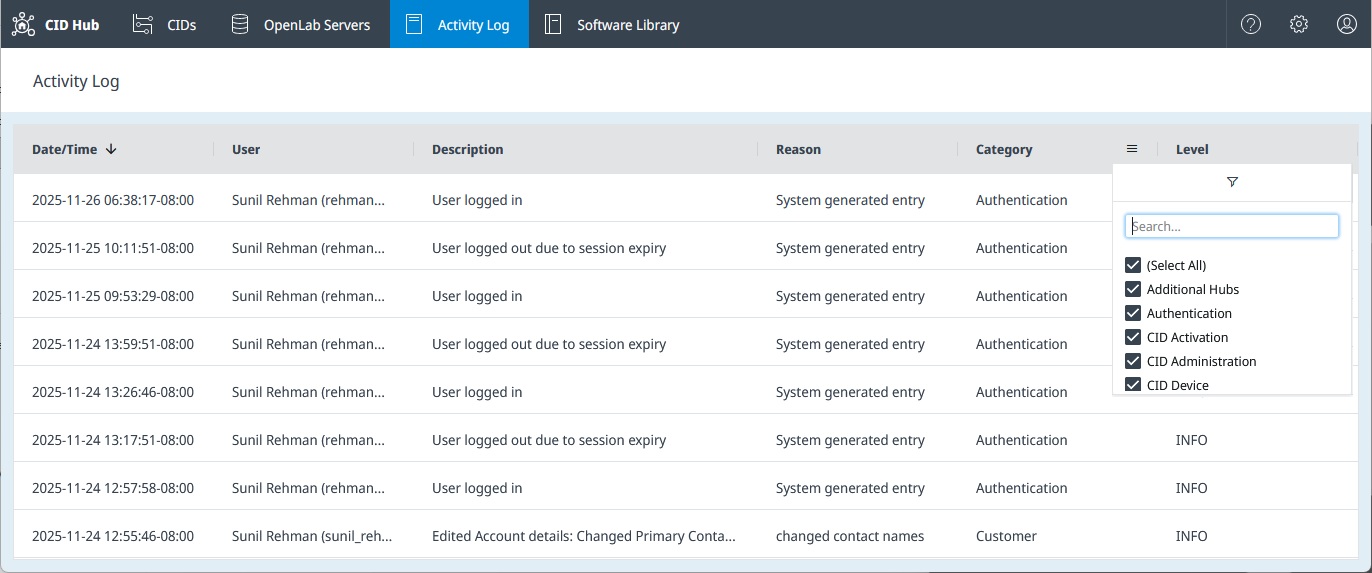
The Global Activity Log displays all events from across your CID Hub account in a single list.
To access the Global Activity Log, click the Activity Log tab in the main navigation bar at the top of the page.
CID-Specific Activity Log
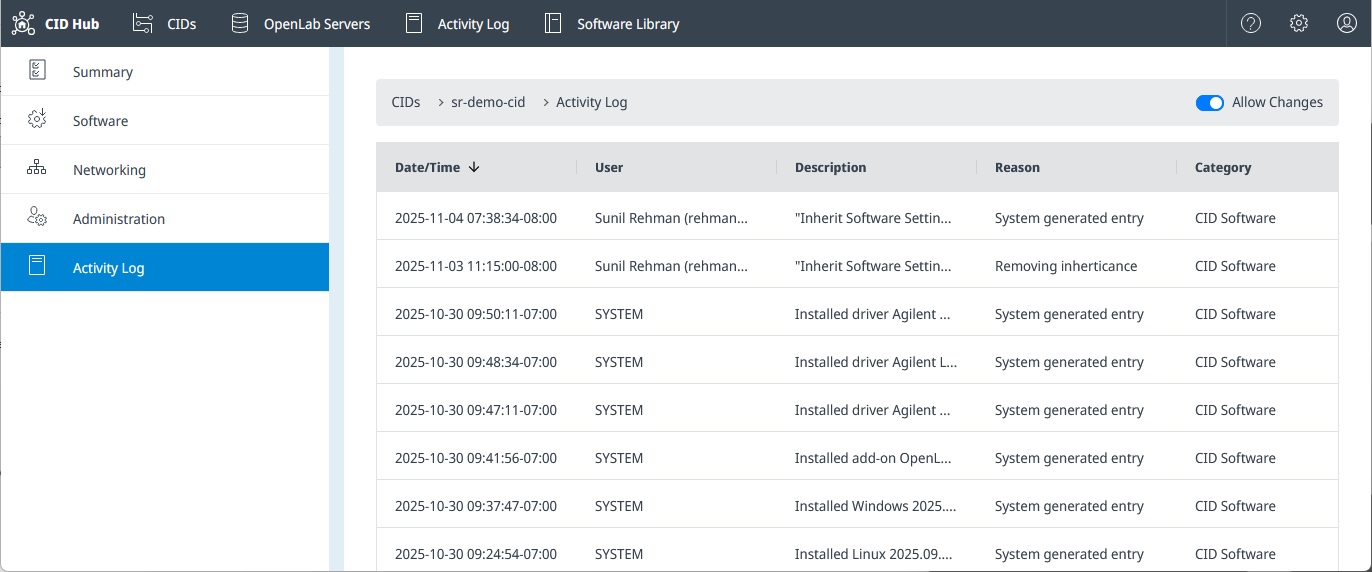
If you need to see the history for a particular CID, you can access its dedicated activity log.
- Navigate to the CIDs list page.
- Click on the name of the CID you want to inspect.
- Select the Activity Log tab from the left-hand navigation menu.
Sorting and Filtering
Both log views offer powerful sorting and filtering tools to help you find specific events quickly.
- Sorting: Click on any column header to sort the list by that column.
- Filtering: Click the chevron next to a column header to open a filter menu.
- Date/Time: Filter by a specific date range.
- User, Description, Reason: Filter using a text search (contains).
- Category: Select one or more categories to display:
Authentication(user logins, role changes, etc.)CID ActivationCID AdministrationCID DeviceCID NetworkingCID SoftwareCID SummaryCustomer(account-level changes)OpenLab Server SoftwareOpenLab Server Summary
- Level: Filter by the severity of the log entry:
DEBUGERRORINFOWARNING
Activity Log vs. Recent Activity
It is important to understand the difference between the Activity Log and the Recent Activity feed.
-
Activity Log: This is for auditing and traceability. It captures high-level actions performed by users (e.g., "Requested install driver Agilent Quadrupole LC/MS 3.2.725 for CID: sr-demo-cid") and the system (e.g., "Installed driver Agilent Quadrupole LC/MS 3.2.725 for CID: sr-demo-cid").
-
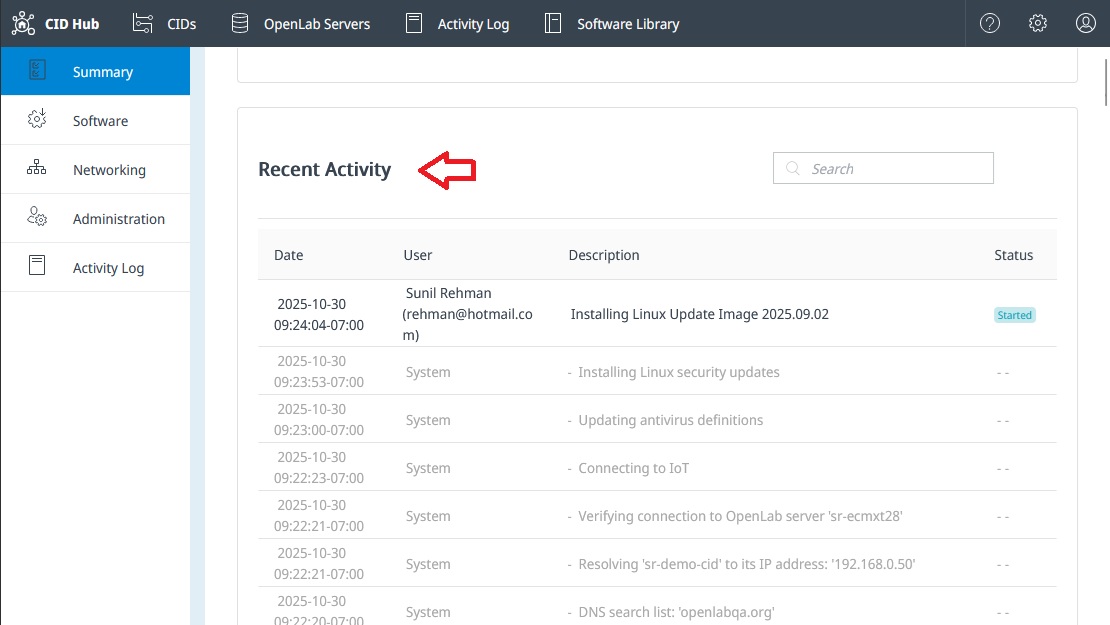
Recent Activity: This feed, found on a CID's Summary page, is for troubleshooting. It shows detailed, low-level actions performed by the CID agent software on the device itself (e.g., "Resolving 'hostname' to its IP address..."). It provides a much more granular view of the CID's internal processes. See "Recent Activities" for more details.