Define a Software Template for CIDs
Overview
As part of the server configuration, you need to define the software versions that will be used in your CDS client–server environment. This setup acts as the default software configuration template that gets applied to all CIDs connected to the server. To override these defaults on one or more CIDs, see Configure Software Exceptions.
When this template is updated for the server, CIDs connected to this server will automatically download the required software packages. Installation must then be manually triggered by an administrator.
Select a CDS Version
By default, new servers are automatically configured with the latest available CDS version. Click Change to select a different version.
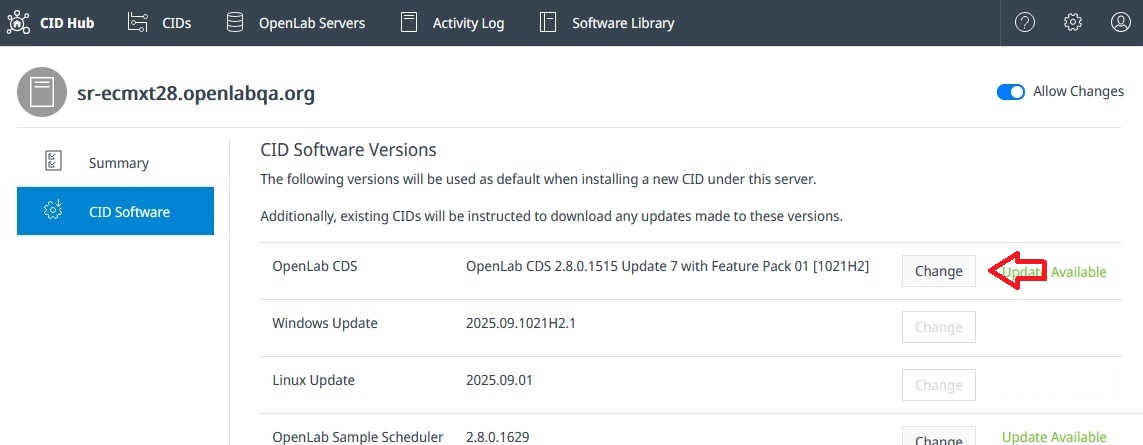
When a new minor version is released, the system displays Update Available next to the Change button.
When upgrading the CDS version, ensure that all Clients, AICs, and CIDs connected to the server are updated to the same version of CDS.
OS Updates
Security and system updates are published regularly on the CID Hub:
- Windows Updates: The latest version is automatically selected when available.
- CID Agent and Linux Updates: The latest compatible versions are also automatically selected.
This ensures that all connected CIDs remain secure and up to date.
Instrument Drivers & Add-On Software
The selected CDS version determines the minimum compatible versions of drivers and add-ons. These are automatically preselected, but you can change them by clicking Change next to the relevant driver or add-on.
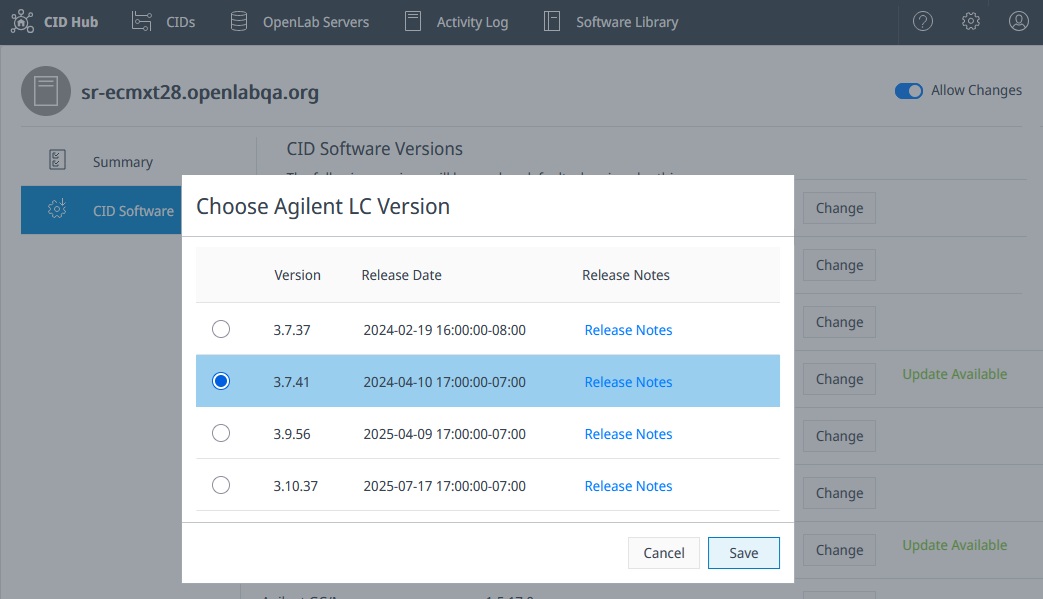
When you change the CDS version, all driver and add-on selections reset to their defaults for that version. If your setup requires specific driver or add-on versions, make sure to reselect them after changing the CDS version.