Update/Upgrade CDS
New CDS updates and upgrades are published to the CID Hub as they become available.
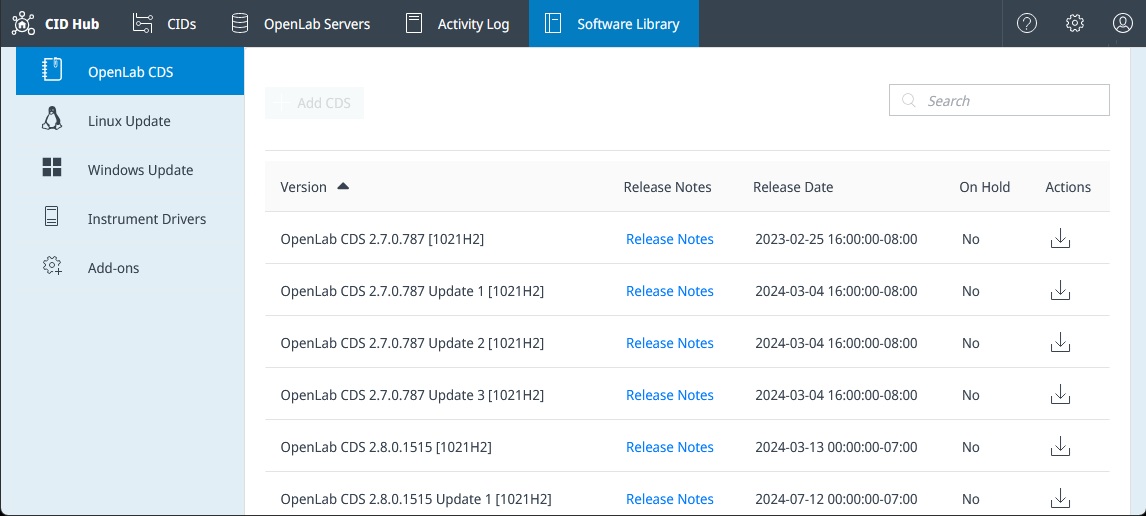
To view all available versions, open the Software Library tab and then select OpenLab CDS.
You can choose which version of CDS to install on your CIDs from the Software tab on either your server or an individual CID.
Important
- Changing the CDS version resets all driver and add-on selections to their defaults for that version. If your deployment requires specific versions, make sure to reselect them after changing the CDS version.
- If selecting OpenLab CDS 2.8 Update 9 or later, verify that your CIDs have Windows 11 license stickers.
On the Software page, the Update Available label appears for updates within the same major/minor version (e.g., 2.8.1 → 2.8.2).
Upgrades across major/minor versions (e.g., 2.7 → 2.8) do not display this label.
Select Change to view available versions, review release notes, and choose the version you want to install.
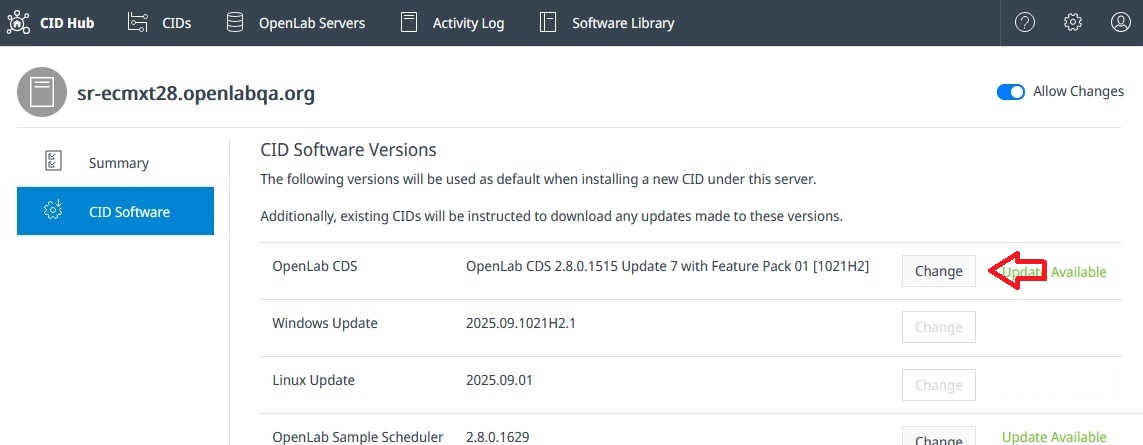
After selecting the version, apply the changes to your CID(s) to install the update or upgrade.